 EatCam
The portion you actually ate.
Review the identified dishes. Adjust the portions, names or calorie estimates before you save your meal.
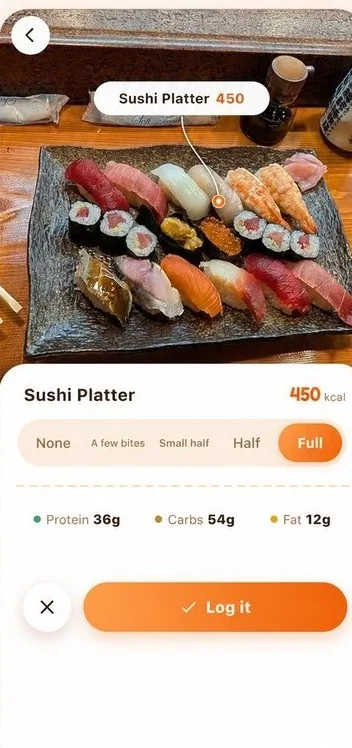
A food diary. With a fresh perspective.
Take a photo. Review each dish. Choose how much you ate. A simple way to bring your food diary into focus.
3 photo scans a day. No account required.
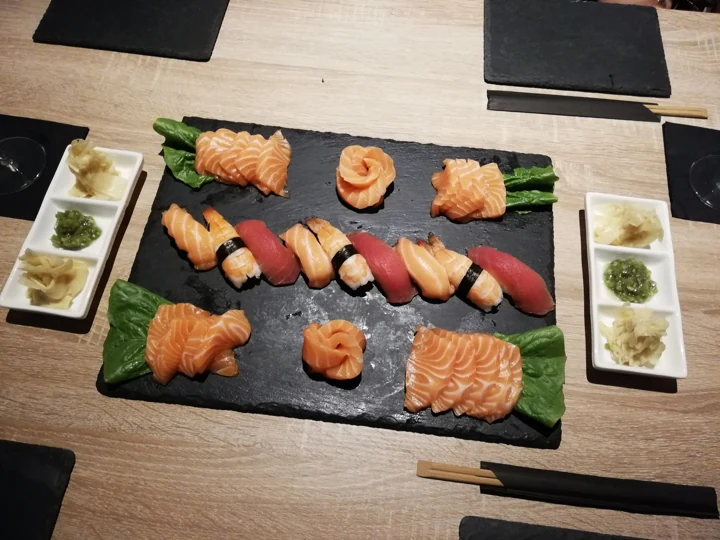
Illustrative values. Every meal is different.
450 kcal
Review what you ate, keep it in your diary, and return to it whenever you need.
Review the identified dishes. Adjust the portions, names or calorie estimates before you save your meal.
Meal photos, calorie estimates and daily nutrition totals stay together in your food diary.
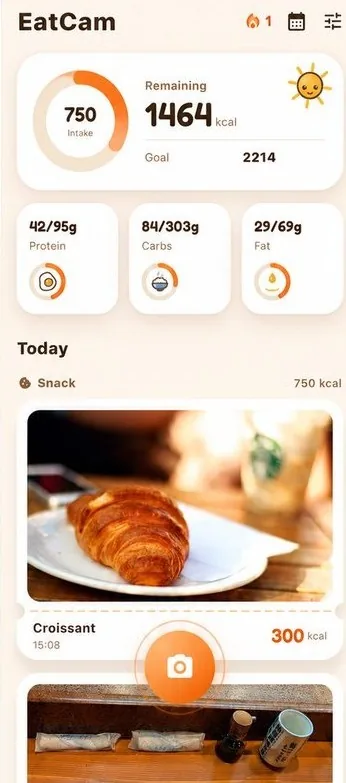
Return to past meals and explore your intake trends. Your photos give each day its context.
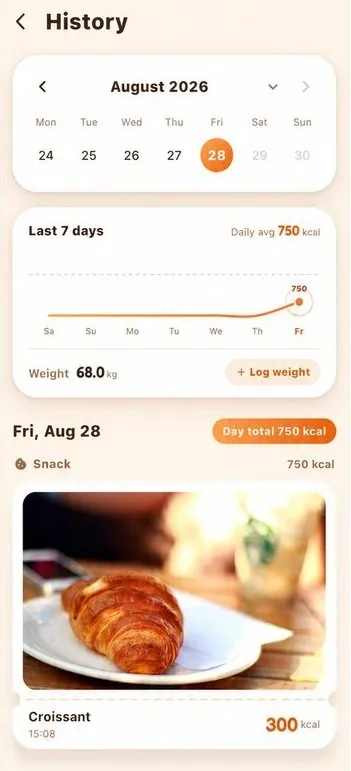
Actual App screens. Photo-based nutrition is an estimate you can review and adjust.
A world of food, within reach
Explore dishes and everyday foods. Find nutrition references, compare portions, and follow the original sources.
References per 100 g. Recipes and preparation affect the final values. The library is separate from the App’s recognition coverage.
Sources & image information ↗Start free
Your first meal does not require a subscription.
For everyday food records
Monthly or annual subscription
See your store for prices and any eligible offers before purchase.
Subscriptions renew automatically unless canceled. Manage your subscription in the App Store or Google Play where you purchased it.
Before you start
A photo cannot show every ingredient or the exact amount of oil. Review the estimates and adjust portions, names, or calories to match the meal.
No account is required. The free plan includes 3 photo scans a day. Pro adds unlimited scans and optional cloud backup.
You can submit photos of different cuisines. Every result can be reviewed and edited. The reference library also includes international foods; it is not a complete list of everything the app can recognize.
EatCam has iPhone and Android versions. Use the App Store or Google Play button to check availability for your account and region.
Meal photos stay on your device unless you enable Pro cloud backup. You can remove saved records in the app.
Manage or cancel subscriptions in the store where you subscribed: Apple account subscriptions on iPhone, or Google Play subscriptions on Android. Prices and trial eligibility are shown in the store.
EatCam for iPhone and Android.
Free daily scans. No account required.
whaloom.com/eatcam
Scan with your phone camera